
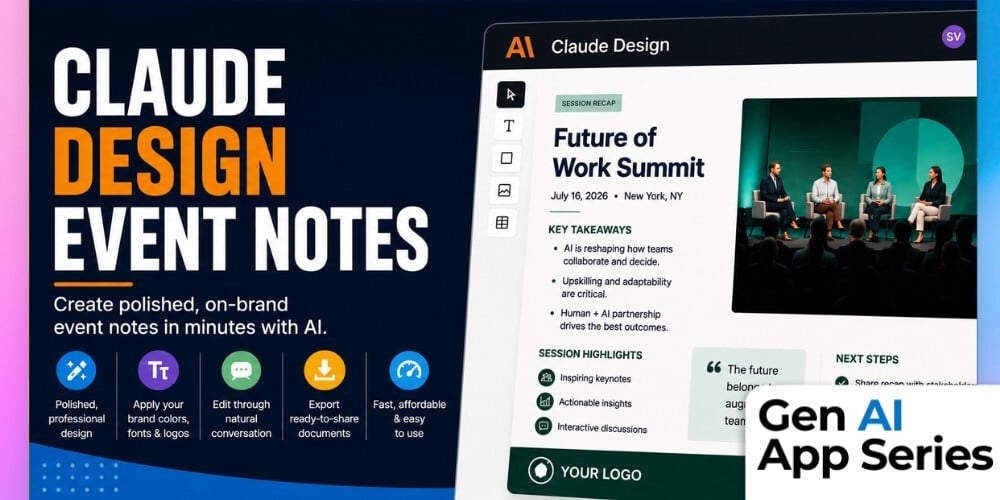
If you’ve ever spent hours turning rough event notes into a polished recap document, the new course, Claude Design - Event Notes, shows there’s now a faster option. As part of the Gen AI Apps Series, this course explores how Claude Design can transform simple prompts into professionally designed, brand-aligned event summaries. Rather than manually formatting documents in Google Docs or Canva, you’ll see how conversational AI can dramatically reduce the time required while maintaining a polished presentation.
Claude Design is especially compelling if you’ve already established a design system with your organization’s fonts, colors, and brand assets. Throughout the course, Susan Valerian demonstrates how to upload reference materials, apply branding guidelines, refine both content and layout through natural conversation, and generate external-facing event notes in minutes. While the export process still has limitations due to the product’s research preview status, the overall workflow highlights where AI-assisted document design is headed.
By the end of this review, you’ll have a realistic understanding of Claude Design’s strengths, weaknesses, pricing considerations, and current usage limits. Rather than promising perfection, the course helps you decide whether Claude Design is ready for your workflow today, particularly if your team regularly creates branded meeting summaries, conference recaps, or executive event notes.
What You’ll Learn
- Generate polished, presentation-ready event notes from simple prompts.
- Apply your organization’s brand colors, fonts, and design assets.
- Refine both the written content and visual layout using natural language.
- Export professionally designed documents that require minimal additional editing.
- Evaluate whether Claude Design is the right solution based on its speed, cost, capabilities, and current limitations.
How to Watch
Each week, the Gen AI App Series releases a focused walkthrough from Mike Kaput, Claire Prudhomme or members of the AI Academy Instructor Network. You’ll see the ins and outs of a single AI tool, from productivity apps and research assistants to image, video, and generative media platforms. We want you to leave with a better of understanding of if, when, and how it fits into your workflow.
Courses are also available for individual purchase and are included with AI Mastery Memberships. Watch or purchase the course here: Claude Design - Event Notes.
This article was written with support from ChatGPT

Jeremy Zimmer
Jeremy Zimmer is the Director of Marketing for AI Academy by SmarterX.