
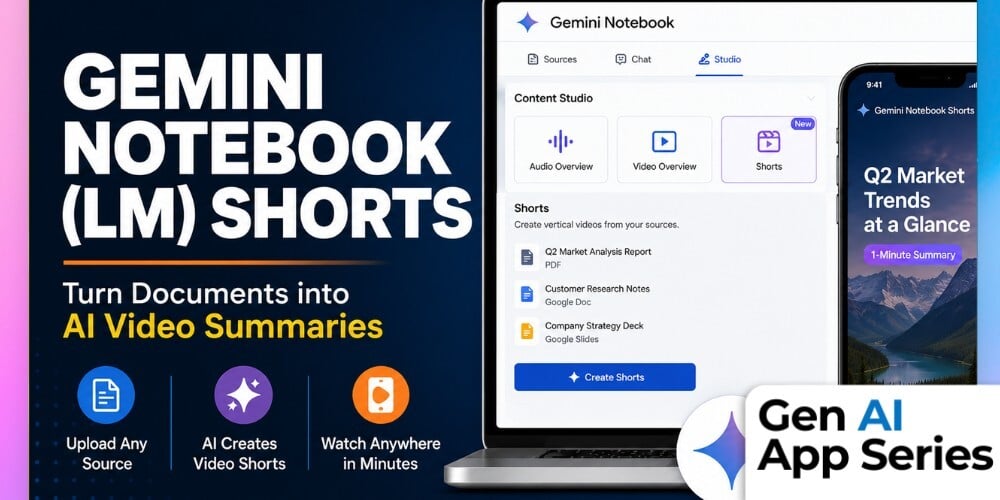
The latest course in the Gen AI Apps Series explores one of the newest additions to Google’s Gemini Notebook, formerly NotebookLM: Shorts. In Gemini Notebook (LM) Shorts, you’ll discover how Gemini can transform reports, research, blogs, transcripts, and other documents into concise, approximately one-minute vertical videos that are easy to watch on your phone. This practical review helps you quickly determine whether this feature belongs in your workflow.
As AI tools continue to make information easier to consume, professionals are looking for faster ways to stay informed without reading lengthy documents. Gemini Notebook Shorts introduces a new way to interact with your content by automatically generating mobile-friendly video summaries from your own source material. Whether you’re preparing for a meeting, reviewing research, or catching up on internal documentation, this feature offers a fresh approach to knowledge consumption.
In this course, Susan Valerian walks through exactly how Gemini Notebook Shorts works, demonstrates the available prompting options, highlights practical business use cases, and explains the current limitations and pricing tiers. As with every course in the Gen AI Apps Series, the goal is to help you make an informed decision about whether this emerging AI capability is worth your time and investment. Courses in the series are also included with AI Mastery Membership.
What You’ll Learn
- Generate approximately one-minute video shorts from uploaded documents, reports, blogs, and web sources.
- Use Gemini’s suggested prompts or create custom prompts to tailor each video.
- Explore practical business applications, including meeting preparation, research summaries, and account reviews.
- Understand how video shorts differ from other AI-generated video formats.
- Learn the current limitations of the feature and what is available on the free and paid plans.
- Decide which Gemini pricing tier best fits your workflow.
How to Watch
Each week, the Gen AI App Series releases a focused walkthrough from Mike Kaput, Claire Prudhomme or members of the AI Academy Instructor Network. You’ll see the ins and outs of a single AI tool, from productivity apps and research assistants to image, video, and generative media platforms. We want you to leave with a better of understanding of if, when, and how it fits into your workflow.
Courses are also available for individual purchase and are included with AI Mastery Memberships. Watch or purchase the course here: Gemini Notebook (LM) Shorts.
This article was written with support from ChatGPT

Jeremy Zimmer
Jeremy Zimmer is the Director of Marketing for AI Academy by SmarterX.