
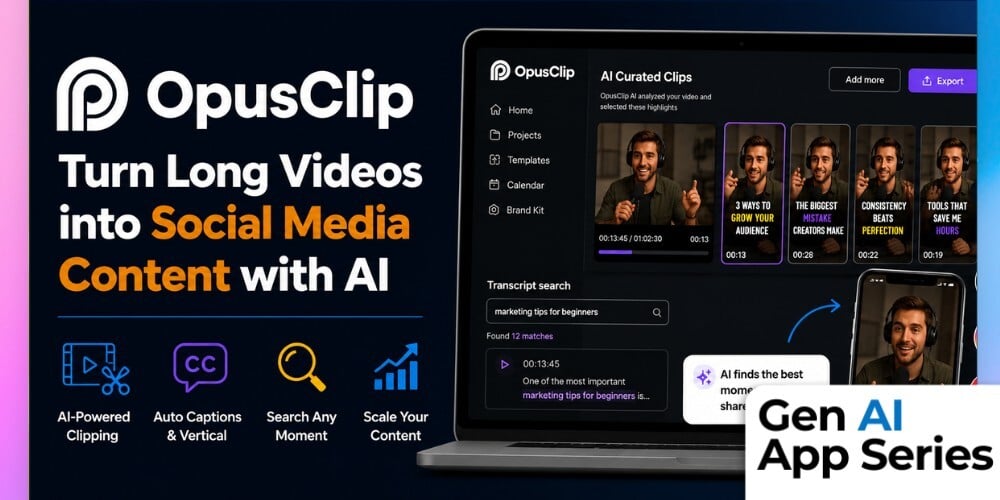
Every podcast episode, webinar, interview, or livestream contains far more value than a single upload. The Gen AI Apps Series: OpusClip course shows you how to unlock that value by transforming long-form video into a steady stream of short-form content. As part of the Gen AI App Series, this course explores how OpusClip uses multimodal AI to identify compelling moments, automatically generate captions, and format clips for today's leading social platforms. Whether you're producing podcasts, webinars, or customer interviews, you'll learn how to turn one recording into weeks of engaging content.
Publishing consistently across TikTok, Instagram Reels, YouTube Shorts, and LinkedIn can overwhelm even experienced content teams. Manual editing takes time, while maintaining a steady posting cadence often requires resources many organizations simply don't have. In this course, Claire Prudhomme demonstrates how OpusClip streamlines the process by automatically identifying highlight-worthy moments, enabling natural-language searches across your videos, and helping you repurpose existing content without starting from scratch each time.
By the end of this walkthrough, you'll understand where AI-powered clipping delivers real value, where human review still matters, and how to build a repeatable content repurposing workflow that scales with your team's goals. You'll also learn how to evaluate OpusClip's pricing options and determine whether it fits your production volume, budget, and overall content strategy. The course is available individually or as part of AI Mastery Membership, giving members practical guidance on today's most impactful AI tools.
What You'll Learn
- Evaluate whether AI-powered short-form video tools fit your content workflow and publishing cadence.
- Understand how multimodal AI identifies the most engaging moments from long-form video.
- Use natural-language prompts to locate specific moments inside your videos.
- Build a repeatable AI-driven content repurposing pipeline that minimizes manual editing.
- Compare OpusClip pricing tiers to determine the best fit for your team's needs.
How to Watch
Each week, the Gen AI App Series releases a focused walkthrough from Mike Kaput, Claire Prudhomme or members of the AI Academy Instructor Network. You'll see the ins and outs of a single AI tool, from productivity apps and research assistants to image, video, and generative media platforms. We want you to leave with a better of understanding of if, when, and how it fits into your workflow.
Courses are also available for individual purchase and are included with AI Mastery Memberships. Watch or purchase this course here.
This article was written with support from ChatGPT

Jeremy Zimmer
Jeremy Zimmer is the Director of Marketing for AI Academy by SmarterX.