
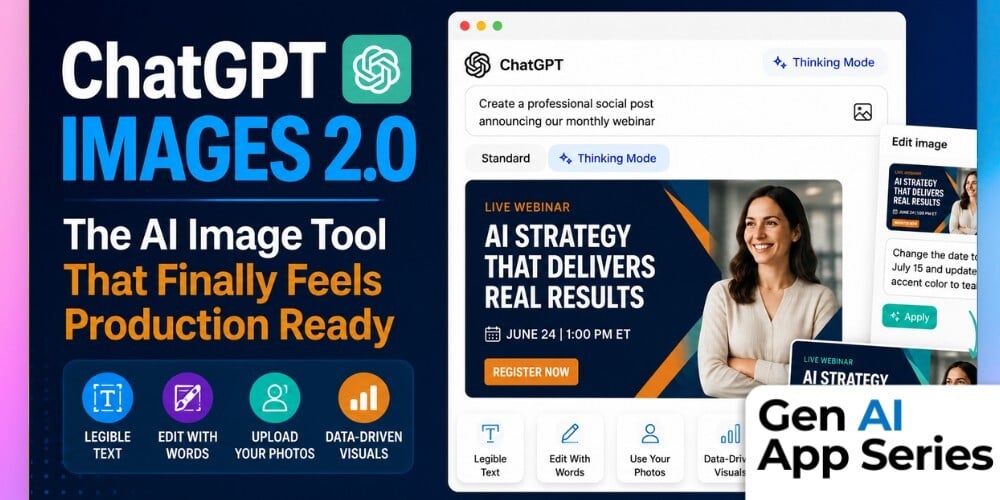
The latest course in the Gen AI App Series, ChatGPT Images 2.0, explores one of the biggest leaps we've seen in AI-powered creative tools. If you tried AI image generation six months ago and decided it wasn't ready for real work, it's time for a second look. OpenAI's second-generation image model introduces capabilities that move beyond experimentation, making it possible to generate production-ready marketing assets, create images with legible text, maintain visual consistency, and edit existing graphics through simple natural language instructions.
For marketers, content creators, and business professionals, this represents a meaningful shift in how creative work gets done. Instead of bouncing between multiple design tools for every small update, ChatGPT Images 2.0 can now handle many of the routine visual tasks that happen every week, from social graphics and blog thumbnails to personalized marketing creative and branded visuals. This course demonstrates where the technology excels, where it still has limitations, and how to determine whether it belongs alongside your existing design workflow.
In this course, Claire Prudhomme walks through practical demonstrations that showcase the platform's newest capabilities, including personalized image editing, production-ready prompting strategies, and the new Thinking Mode for more sophisticated visual generation. You'll gain an honest assessment of where ChatGPT Images 2.0 delivers real business value, understand which subscription plans unlock its most useful features, and leave with a repeatable framework for creating visuals that are ready to use instead of simply interesting to look at.
What You'll Learn
- Understand what makes ChatGPT Images 2.0 different from previous AI image generation tools.
- Identify the types of marketing and creative work the platform is now capable of handling.
- Learn a repeatable prompting approach for creating production-ready visuals.
- Understand the difference between Standard Mode and Thinking Mode and when to use each.
- Evaluate where ChatGPT Images 2.0 fits alongside your existing design and creative tools.
How to Watch
Each week, the Gen AI App Series releases a focused walkthrough from Mike Kaput, Claire Prudhomme or members of the AI Academy Instructor Network. You’ll see the ins and outs of a single AI tool, from productivity apps and research assistants to image, video, and generative media platforms. We want you to leave with a better of understanding of if, when, and how it fits into your workflow.
Courses are also available for individual purchase and are included with AI Mastery Memberships. Watch or purchase the course here: ChatGPT Images 2.0.
This article was written with support from ChatGPT

Jeremy Zimmer
Jeremy Zimmer is the Director of Marketing for AI Academy by SmarterX.